January 27, 2026
BrandCrowd Review: AI Logo Generator & Customization Tools for Mac Creators
Mac creators tend to gravitate toward browser-based branding tools for one simple reason: reliability. If a logo platform works smoothly in Safari or Chrome, doesn’t require downloads, and lets you move from idea to usable asset in one session, it already clears a major hurdle. But speed alone isn’t enough. A logo also has to survive real-world use, from website headers and Instagram avatars to invoices, packaging, or print materials.
In this review, we will examine BrandCrowd through the lens of everyday Mac users. Instead of focusing on hype, our goal is to see how the AI logo generator, template ecosystem, editor, exports, and licensing actually behave when you try to build something usable. The emphasis stays practical: how fast you can get to a decent result, how much control you retain, and whether the final files hold up beyond the preview screen.
Getting started on macOS
BrandCrowd is a logo maker that operates entirely in the browser, which immediately removes friction for Mac users. There’s no installer and no compatibility guessing. You simply land on the logo tool, enter a name, and start browsing concepts almost instantly. The onboarding favors momentum over explanation, nudging you to explore visuals before worrying about settings.
The overall layout follows a familiar pattern seen in modern design platforms: discovery first, refinement second. You’re encouraged to scan many ideas, shortlist a few, and only then move into editing. Rather than presenting raw shapes or empty canvases, BrandCrowd pushes finished-looking designs from the start, which makes the early experience feel less technical and more exploratory.
Template variety and creative range
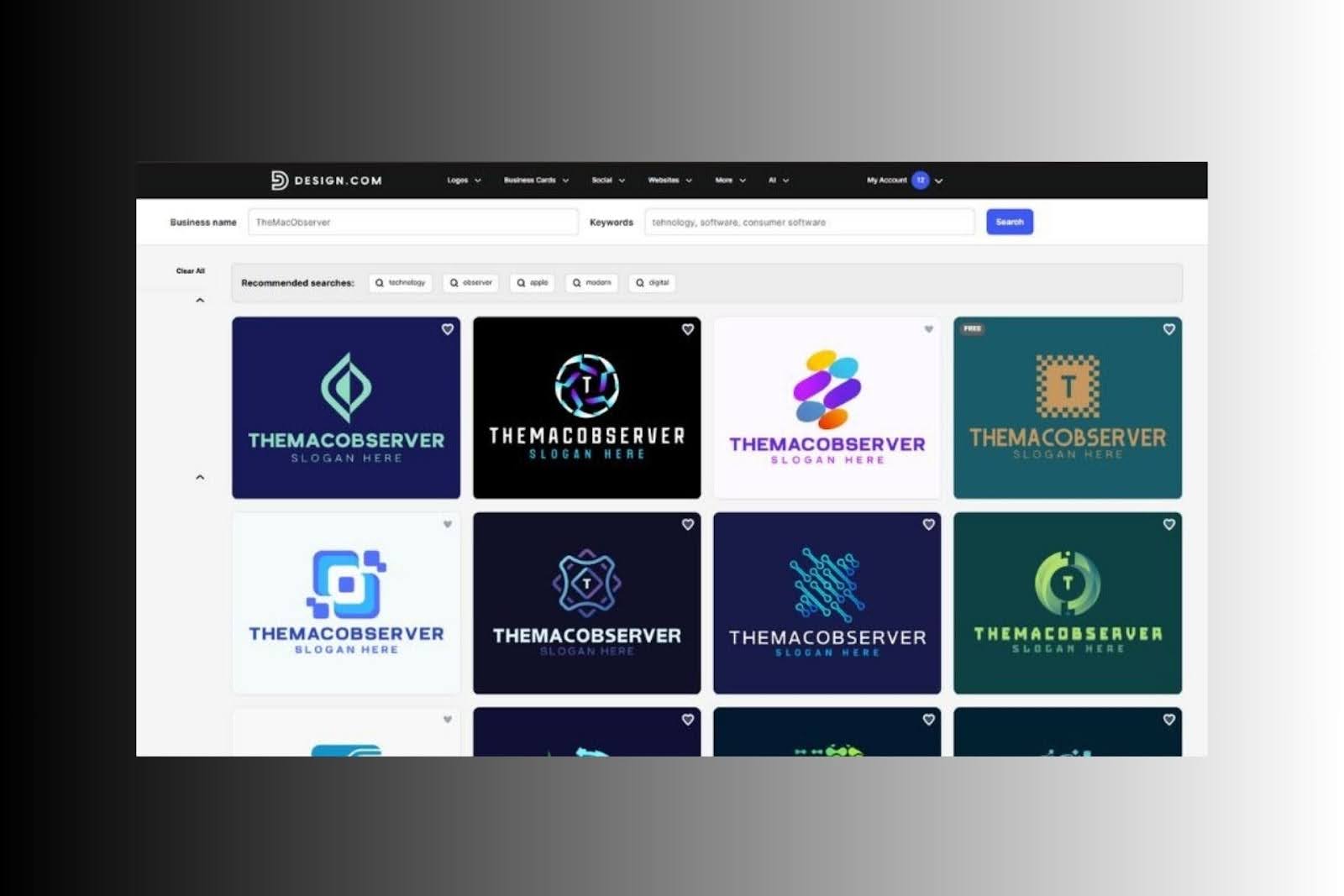
BrandCrowd’s AI logo generator is designed to reduce decision fatigue. Instead of forcing you through a long preference quiz, it generates concepts quickly after minimal input. This works well for Mac users who prefer visual scanning over form-filling.
Templates are the backbone of BrandCrowd, and the scale is immediately apparent. The platform highlights a catalog numbering in the hundreds of thousands, contributed by a large designer community. While sheer volume doesn’t guarantee originality, it does increase the odds of finding layouts that fit different tones, from minimalist and modern to playful or illustrative.

What’s notable is that the generator doesn’t feel like it’s assembling logos from generic icons alone. BrandCrowd positions its AI as drawing from a large collection of professionally created logo designs, and the results reflect that. You’re shown complete compositions with typography, spacing, and icon placement already considered.
For Mac creators working across multiple projects, this depth matters and easily makes BrandCrowd feel like a #1 logo generator. You can explore different brand personalities quickly without rebuilding from scratch. Even when several logos share a similar theme, subtle differences in typography and layout often lead to very different outcomes once customized.
Editing tools and customization workflow
BrandCrowd’s editor is intentionally restrained. Instead of overwhelming you with granular controls, it focuses on the changes most users actually need: text, colors, icons, and layout variants. The editor encourages small, reversible adjustments rather than radical redesigns.
This works well on macOS, where users often expect interfaces to feel forgiving and predictable. You can experiment without breaking the underlying structure, which reduces the risk of ending up with an unbalanced logo.
Download options and real-world usability
Export formats often determine whether a logo remains useful six months later. BrandCrowd covers this well by offering both raster and vector files.
The available downloads include:
- PNG and JPG for websites, social media, and digital use
- SVG for scalable web graphics and developer handoff
- EPS and PDF for print, signage, and packaging
For Mac users, this flexibility matters. SVG files integrate cleanly into modern web workflows, while EPS and PDF remain standard for printers. Having access to both avoids the common problem of needing to redesign or upscale a logo later.
Licensing and expectations around exclusivity
Logo licensing is one of the least glamorous, but most important, parts of using a template-based tool. BrandCrowd’s terms make it clear that standard purchases usually grant a non-exclusive license. This means you own the logo you create, but the underlying design framework may have been used by others before.
BrandCrowd also references upgraded licensing options that can remove a template from future sale. Even then, previous users retain rights to their versions.
Performance in Safari and Chrome
Because everything runs in the browser, performance is tied closely to how well the interface handles browsing and editing at scale. On modern Macs, BrandCrowd feels responsive when switching between designs, editing text, or previewing variations.
The workflow aligns well with typical Mac habits: opening multiple designs in tabs, comparing options, then narrowing down. Support availability is also emphasized on the platform, which can be useful if you run into download or licensing questions mid-project.
Additional branding tools beyond logos
BrandCrowd doesn’t stop at logos. It also promotes tools for creating matching business cards, social media graphics, and basic marketing materials. These extras are most useful if you want a cohesive look quickly without jumping into another design platform.
That said, many Mac users already rely on tools like Canva or Adobe apps for ongoing content. In that case, BrandCrowd works best as a logo creation hub. You design the core identity here, then export assets into your broader workflow.
Pricing structure and free access
You can explore BrandCrowd without paying upfront. Browsing, editing, and saving designs is free until you decide to download.
Pricing varies based on license type and whether you choose a subscription or one-time purchase. 
For users who need professional downloads and ongoing edits, BrandCrowd offers paid plans that begin at $5 per month with annual billing. These plans typically include vector logo files, unlimited customization, and access to additional branding features, making them suitable for long-term brand development.
Who BrandCrowd works best for on Mac
BrandCrowd is a strong option for Mac users who value guided creativity rather than total freedom. It’s especially comfortable for first-time logo makers who want confidence that small changes won’t break the overall design, while still giving more detail-oriented users room to fine-tune layouts and colors.
For anyone searching for an AI logo generator on macOS that prioritizes fast results, controlled editing, and files that are ready for real use, BrandCrowd stands out as a practical choice.
Final verdict
BrandCrowd delivers a streamlined logo creation experience that aligns well with typical Mac workflows. Its AI logo generator accelerates discovery, the template library provides breadth, and the editor keeps customization accessible without sacrificing structure. Crucially, the export formats support long-term use, not just quick previews.
For Mac users looking for a #1 browser-based logo tool that balances speed with practical output, BrandCrowd offers a dependable, well-rounded solution.

Digital Content Specialist
Nick deCourville is a Digital Content Specialist dedicated to the Apple ecosystem. He believes that fixing something can be just as straightforward as breaking it, which fuels his exploration of iPhone and iOS settings. As the owner of an iPhone 15 Pro, Apple Watch SE, and MacBook Pro, Nick is constantly honing his expertise in Apple’s products. With a Master’s degree in English Literature and Composition from The University of Akron, he has a strong foundation in writing and communication.