MacUpdate
Join MacUpdate
New Member

New Developer
Explore
MacUpdate Desktop
Hot Apps

Business
Dashboard
Development
Drivers
Education
MacUpdate Promo
Popular Apps

Games
Home & Personal
Internet
Multimedia & Design
Utilities
iPhone
Apps

Login
Member Login

Developer Login
About
Search Mac Apps

Search iPhone Apps

Advanced Search
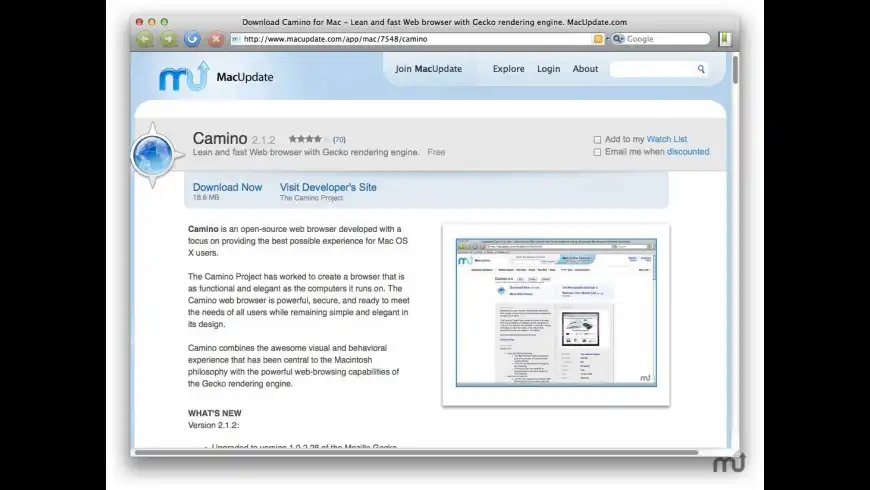
Camino
Camino 2.1
Your rating: Now say why...

(59) 4.055084745762712

Lean and fast Web browser with Gecko rendering engine.   Free
Add to my Watch List
Email me when discounted
  • Download Now
    18.5 MB
  • Visit Developer's Site
    The Camino Project
Camino is an open-source web browser developed with a focus on providing the best possible experience for Mac OS X users.

The Camino Project has worked to create a browser that is as functional and elegant as the computers it runs on. The Camino web browser is powerful, secure, and ready to meet the needs of all users while remaining simple and elegant in its design.

Camino combines the awesome visual and behavioral experience that has been central to the Macintosh philosophy with the powerful web-browsing capabilities of the Gecko rendering engine.
What's New
Version 2.1:
  • Full release notes available here.
Requirements
PPC / Intel, Mac OS X 10.4 or later


Related Links
Camino 2.0.9 Multilingual Download

Camino 1.6.11 Download (For Mac OS X 10.3.9 users.)
Migrate from Safari
Automate the installation of Camino nightly builds with CaminoKnight


  • Firefox
    +72
    Free
    Popular web browser.

  • Chromium
    +59
    Free
    Fast and stable open-source ...

  • Chromatic
    +48
    Free
    Easily install and updated ...

  • Opera
    +31
    Free
    High-performance web browser.

  • Apple Safari
    +14
    Free
    Included as part of 10.7.3; ...

  • Browser
    +3
    Free
    WebKit-based browser.
Camino User Discussion (Write a Review)
ver. 2.x:
(59)
Your rating: Now say why...
Overall:
(328)

sort: smiles | time
burypromote

+11

chriscosta reviewed on 20 Dec 2011
I really can't use this because of one simple reason...

The "Annoyance Blocker" does not work nearly as well, nor is as flexible, as AdBlock Plus in Firefox.

I gave it a go as my default browser for 2 weeks and the ads everywhere, finally got to me.

I'll say one thing though, when watching Flash (YouTube) video, or Silverlight Video (Netflix), Camino seems to use a lot less resources than Safari, Chrome, or Firefox. So Camino has become my "Netflix & Youtube Browser", just because of that :)
[Version 2.1]

2 Replies

burypromote
+1

+8
Uncle Asad replied on 22 Dec 2011
Can you file a bug (http://caminobrowser.org/documentation/bugzilla/#found) on the unblocked ads (or at least some of them)? We do try to update our ad-blocking rules for each release… I don't see very many ads, but we must visit different collections of sites ;-)

Also, beginning in 2.1 it's easier to supplement the built-in ad-blocking rules (see user_ad_blocking.css in the profile's chrome folder) or to install more stringent content-blockers (e.g., XPCOM components like https://bugzilla.mozilla.org/show_bug.cgi?id=656584).
burypromote
+1

+134
Thyx replied on 21 Jan 2012
@chris: you might check GlimmerBlocker – I started using it on my old MacBook, getting sluggish with AdBlockers etc.
It needs some configuration (basically adding rule sets), but works for all browsers and other apps alike.
burypromote

+291
alas! commented on 15 Dec 2011
I'm afraid that Camino has been overtaken by Firefox and Safari, not to mention the Chrome offshoots, i.e., Chromium, SRware Iron, even Roccat.
Camino, for me, is dog slow and tired when compared to the others; featurewise it just doesn't measure up. Camino will likely die a slow death.
However, if it floats your boat, enjoy it while it's still around. Anyway,one can do better.
[Version 2.1]


burypromote

+5

leninmonkey reviewed on 05 Dec 2011
recent new lease of life put camino back on my mac and even in the dock - for some reason it always worked on some sites which others really struggled with. but something's really wrong with 2.1 (even the core2duo specific builds) as it can't get itself going even on google. despite this am happy camino's back and have i faith that the dev will fix all. (ignore my rating as firefox was playing up)
[Version 2.1]

1 Reply

burypromote

+8
Uncle Asad replied on 06 Dec 2011
leninmonkey: It sounds like you might also be hitting the problem where certain routers misbehave badly when DNS prefetch is in use (https://bugzilla.mozilla.org/show_bug.cgi?id=706969).

Check your router to see if it has firmware updates available. If not, or if the firmware update doesn't help, download a nightly build of what will become 2.1.1 (http://caminobrowser.org/contribute/#nightly) and disable DNS prefetch (http://caminobrowser.org/documentation/hiddenprefs/#aboutConfig & http://caminobrowser.org/documentation/hiddenprefs/#ControlDNSPrefetch). That should return Camino 2.1 to the speed you're used to from Camino 2.0.9.

If you need more assistance, please visit the support forum: http://forums.mozillazine.org/viewforum.php?f=12
burypromote
-2

-22
BigJohnson commented on 05 Dec 2011
DON"T BOTHER!

Even the developer can't give me a single reason why I might like Camino better than Safari or Firefox.

I recently contacted them, and here's our email messages:

ME:
"On the homepage, there this link that says "We’ve created a page which points out some of the common differences between Camino and Safari ..."
But on that page there is NO comparison, just paragraphs explaining how to migrate from Safari. I want to see a chart or screenshots or, preferably, a screencast showing the differences.

On the What makes Camino special? page, everything I see looks just like what Safari and Firefox already do, so why would I want to switch? Is it faster, uses less resources (Safari's a hog!), what?

QUOTE: "Built from the ground up exclusively for Mac OS X, Camino is designed to make your browsing experience better. With features like annoyance blocking, tab overview, and phishing and malware detection, Camino keeps you browsing safer and faster on the Web."

Safari and FF both have annoyance blocking and tab overview, as well as anti-phishing and malware protection. So, what makes Camino so great?
I'd need a very good reason to invest the amount of time necessary to setup and learn a new browser. And then there's Opera, which I know nothing about, but hate the name."


CAMINO DEV'S REPLY:
"Taste in browsers is extremely personal; everyone has a different idea
about what differences are important. No matter what we put on the web
site, the only way for someone to find out if they like Camino better
than other browsers is to try it for themselves.

We continue developing Camino because many people like it, and we want
to keep offering that choice--we aren't trying to convince people to
switch if they aren't interested.

It sounds like you are happy with the browser you are using then,
which is great!

Stuart Morgan
Camino Developer"


ME:
"So, you can't tell me a single thing about how Camino is different or better than Safari or Firefox? That doesn't say much for Camino!

Doesn't matter how happy I am with them - if there's some valid reason to change, or at least try another, I would.
But they must be faster, easier, less resource-hogging or SOMETHING! If they're nearly identical in all aspects, why bother?
When I buy a new car, I don't buy the same year, and model as the last, I want one that's newer, faster or better in some regard."


CAMINO DEV'S REPLY:
"I could tell you about lots of differences--or you try Camino, for
free, and see them for yourself. I can't tell you what's "better"
because it's subjective. I have yet to see a browser that some people
don't claim is faster than all the other browsers they tried, or takes
fewer resources than the other browsers they've tried, or has the best
feature set of all the browsers they've tried.

Camino is developed by volunteers, working in our free time. I'd much
rather spend my free time improving Camino than trying to hard-sell it
to people. If you want to try Camino and see if you like it better
than your current browser, great! If not, that's fine with us too.
We're not selling cars; we don't have a financial interest in
convincing you to use Camino.

Stuart Morgan
Camino Developer"


Although I took the time twice to inquire as to the benefits of Camino, not a single one was noted - all I was given was a bad impression of it.
Stuart seems pompous and apathetic - he said he could tell me "about lots of differences," but didn't.
Evidently, Camino isn't faster, easier or better in any way, just different, and that's not enough to make me switch. It's not as simple as installing and knowing within minutes if I like it; At a minimum it will take several hours to discover all the features of a new browser and to know if I want to continue using it. I'm not willing to invest that much time without knowing WHY I might want to try it, and if Stuart's attitude is an omen of the way Camino's dev's respond to questions and support issues, I'll pass.
[Version 2.1]


burypromote

+2
Kenshmid commented on 30 Nov 2011
Downloaded version 2.1 but browsing was so sluggish I had to trash it and revert to 2.09. Running Mac Pro 2x3 GHz Dual-Core Intel Xeon with 9 GB DIMMs OS X 10.6.8.

Clearing cache and restarting both the app, and then the Mac, made no difference. Several pages would not even load.

Some here knock Camino, but I know of no other browser that wraps icons in the Bookmark Bar for the speediest access of any browser I know of.

Just hope the developers work out the sluggishness of 2.1. I'm looking forward to HTML-5.
[Version 2.1]

4 Replies

burypromote
+2

+133
Fyreflye replied on 30 Nov 2011
Report this on the Mozilla Forums http://forums.mozillazine.org/viewforum.php?f=12
not here. You will find optimized builds for your machine there also.
burypromote

+41
Wickedsp1d3r replied on 03 Dec 2011
Unfortunately I have also find browsing with the new version a bit more sluggish than before. Hope an update will have a fix.
burypromote
+1

+8
Uncle Asad replied on 06 Dec 2011
Kenshmid and Wickedsp1d3r: It sounds like you might be hitting the problem where certain routers misbehave badly when DNS prefetch is in use (https://bugzilla.mozilla.org/show_bug.cgi?id=706969).

Check your routers to see if they have firmware updates available. If not, or if the firmware update doesn't help, download a nightly build of what will become 2.1.1 (http://caminobrowser.org/contribute/#nightly) and disable DNS prefetch (http://caminobrowser.org/documentation/hiddenprefs/#aboutConfig & http://caminobrowser.org/documentation/hiddenprefs/#ControlDNSPrefetch). That should return Camino 2.1 to the speed you're used to from Camino 2.0.9.

If you need more assistance, please visit the support forum: http://forums.mozillazine.org/viewforum.php?f=12
burypromote
+1

+2
Kenshmid replied on 06 Dec 2011
I am having a hard time understanding why all my other browsers-- Safari, Firefox, etc.-- are working just fine. I would think they would also have to contend with any existing DNS prefetch problem. But only Camino 2.1 is affected.
burypromote
+7

+133
Fyreflye commented on 29 Nov 2011
Reports of Camino's death have been highly exaggerated. Congratulations and thanks to Camino's dedicated development team.
[Version 2.1]

2 Replies

burypromote
+6

+81
Rampancy replied on 29 Nov 2011
Amen to that. The Camino Project has been my number one web browser for many years now, and it's great to see it continuing despite the issues posed by the design decisions made at the Mozilla Foundation. Thanks again for all of your hard work!
burypromote
+1

+24
Theothertim replied on 30 Nov 2011
Except it's true. The problem with Camino's development is that Mozilla ended Gecko embedding. As described on their blog, "Without support for embedding, releases of Camino using newer versions of Gecko—like the one used in Firefox 4—won’t be possible." Camino 2.1 is using the Gecko engine from Firefox 3.6, according to their blog. And while the Camino dev team does dedicate resources to security fixes, I'm reluctant to use Camino as my default browser.

Camino has been a great browser. I still take it for a spin occasionally, but other browsers are offering a lot more features. I had hoped that Camino would get the development support and push, but alas, it's still a struggling project. And in the meantime, Firefox and Chrome have added a lot of features, as has Safari. I still like Camino a lot, but knowing that the writing is on the wall for the browser, and that it is behind on the Gecko engine, I choose to only use it for casual browsing. My hope is that Camino will live on, but it doesn't look like it will be a Gecko-based browser if it does. And I'm not sure what Camino can offer as a WebKit browser that isn't already filled by Safari or Chrome.
burypromote

+19
Fishboy commented on 29 Nov 2011
1Password is known to crash Camino in some cases, particularly when customizing the toolbar. If you experience crashes, try removing 1Password's Camino integration.
[Version 2.1]

3 Replies

burypromote

+133
Fyreflye replied on 29 Nov 2011
1Password has no Camino integration unless you're using 1P 3.5.15. Keychain works quickly and efficiently with Camino, but if you do switch back to 1P 3.5.15 current versions of Safari, Firefox, and Chrome/Chromium will continue to work with the 1P extensions installed directly into them.
burypromote

+58
Aargl replied on 30 Nov 2011
Never had a crash because of Camino, AFAIR.
As for 1Password's Camino integration, there's a trick I found at Agile's forum that I'm giving you right now! ;-)
See Troubleshooting tab.
burypromote

+58
Aargl replied on 30 Nov 2011
... uh, I meant "because of 1password"! ;-)
burypromote
-9

-13

Tomeg reviewed on 11 Nov 2011
Beats me why Camino users continue to favor the browser. It's UI, compared to Firefox, Safari, Chrome, you name it, is ugly, ugly, UGLY!
[Version 2.0.9]

5 Replies

burypromote
+3

+235
Lvdoc replied on 29 Nov 2011
I don't need pretty, pretty, PRETTY! It's fast enough and simple enough for my needs. Choice is nice. This is ours.
burypromote
-7

+61
Mudflapper replied on 29 Nov 2011
1998 called. It wants its browser UI back.
burypromote

+235
Lvdoc replied on 29 Nov 2011
At the college where I teach, we are required to use a particular LMS (Learning Management System). Alas, that system does not play well with Safari or Chrome. Although the system loves Firefox, I have found that Camino works faster and better with it. That is my exclusive use of Camino.

I've used OmniWeb browser for many years. I like the icon tabs and the speed.
burypromote
-1

-13
Tomeg replied on 29 Nov 2011
I certainly respect other folks' opinions, but I still find Camino's UI unattractive ('ugly' is probably too strong a word). Firefox (I have v. 9.0, and, finally, it is looking good, too, and it's faster (for me), than Camino. If Camino would create something closer to OmniWeb's UI I might consider it. I started with Camino while it was still Chimera and the concept of a faster, more Mac UI-like browser that is still simple and doesn't hog a barge-load of CPU and memory as Safari, Ffx and Chrome do, I will stick with Chrome, which is my current browser of choice.
burypromote

-13
Tomeg replied on 30 Nov 2011
I downloaded and launched the new update. It is very fast, and may take the lead among browsers. I won't eat my words, but qualify them. I'm very glad to see that development is proceeding, with nightly builds, to boot!
burypromote
+1

+14

Jb4 reviewed on 15 Sep 2011
The best!
Still my everyday browser and I've tried them all.
This new version makes it as fast as Chromium or Lightning and as reliable/compliant as Opera.
I love it......
[Version 2.0.9]


burypromote
+2

+25

Oldmiller reviewed on 14 Sep 2011
Makes me happy to see updates on Camino.
It's such an elegant, nice and lightweight and fast browser - my favorite choice since way back in 2002 when it started as Chimera. Wow, more than 9 years! This thing accompanies me almost almost as long as I'm on OSX. I just want to say a real big thank you to the developers who keep this juwel alive.
[Version 2.0.9]


burypromote

+58
Aargl had trouble on 30 Nov 2011
To get your 1Password working in Camino (if « unsupported version »)
- Quit 1Password and Camino
- Show Package Contents of 1Password
- Open Contents > Resources
- Open SupportedBrowsers.plist in a text editor or a plist editor
- In the org.mozilla.camino section, Change MaxBundleVersion to 2010.05.20 (for 2.0.7)
- save

I found this trick at Agile's forum, you have to change the date for more recent versions (something like 2012.12.31)
[Version 2.1]


burypromote

+58
Aargl had trouble on 30 Aug 2011
I recently noticed that this very site (MacUpdate) doesn't behave the same in Camino than in Safari or Firefox!!!
- the top apps of the day (listed in red) are less (today 1 in Camino, 4 in the others — the 3 missing ones don't even show at all)
- when you search for an app via the search field, it gives less or no results (try searching for "Camino", it drops you directly on "Camino Frost" while the others give you 48 results! Search for Cocktail or Awaken: no results! — 13 and 6 for the others respectively)
Another brick in the wall... :-(
[Version 2.0.7]

4 Replies

burypromote

+58
Aargl replied on 30 Aug 2011
I've trashed my app support/Camino folder and it now behaves correctly on Macupdate... probably some corrupt file there inherited from a previous version! I now have to retry the few sites that gave me problems until then, such as Youtube, myspace, facebook...
burypromote

+58
Aargl replied on 30 Aug 2011
I confirm that after this cleaning Camino works well again! :-)
burypromote

+915
Misha replied on 30 Aug 2011
Glad to hear it -- do you want me to delete these posts since the problem has been resolved?
burypromote

+58
Aargl replied on 02 Sep 2011
No problem, you can delete them! :-)
(though it might be useful to someone having the same problem, ain't it?)
For months I thought my searches on macupdate giving no result were a bug from MU, before having the idea to trash things... ;-)
burypromote
-1

Irontooth had trouble on 29 Aug 2010
I would really love Camino 2 as a browser, except for one really annoying bug:

On 4 separate PPC computers running 10.4.11, Camino (and all other Mozilla products I have tested) show multiple page scrolling when clicking once in the scroll bar below the scroll thumb (or above, once it multiple-scrolls down). My primary computer is a G3 Pismo, but I have also seen this on a G4 Cube, G4 iBook, and G4 PowerBook. This bug is annoying enough to keep me away from all of the Mozilla programs, except for Camino, which is good enough to keep me coming back.

Has anyone else seen this behavior, and/or have a suggestion for a fix (other than avoiding trying to use the GUI in a way in which it is _supposed_ to work, and works in all other applications)?

...and yes, I did submit a bug report to the Camino development team when Camino 2 was still in beta, but the outcome was that since this was not a Camino-specific bug, it wasn't their problem.
[Version 2.0.4]


burypromote
-1

+6
Mrhooks had trouble on 10 Apr 2010
Scroll bars of windows in background stay colored. G5, 10.4.11.
[Version 2.0.2]


burypromote
+1

+17
2ktz had trouble on 04 Mar 2010
having tried this latest version of camino and have been really impressed with it, especially blocking flash ads and the like and being a lot faster than safari

......but

once i am in my yahoo account the IM in new yahoo mail does not work, it either hangs showing no contacts or sometimes shows who is online but cannot open chat window with them ( i think this is fault (4277742 ) on the bugzilla page for camino a few other people have reported this, i tried sea monkey and the IM in new yahoo mail works fine.

It's a real shame but for me this is a deal breaker so i may have to stick with safari for now as much as i liked sea monkey it had feel of pc about it ( but that is just my feeling about it ) may give it another try,

so looks like i have to wait for this to be worked out ( like i said a real shame )
[Version 2.0.2]


burypromote
+3

+8
Uncle Asad had trouble on 22 Nov 2009
If you're experiencing crashes with Camino, please report them using the Camino Crash Reporter, and if you have persistent crashes, please post in the forum or file a bug.

We've established the causes of some common crashes already; see http://caminobrowser.org/blog/2009/#camino2update for more information, fixes, and work-arounds (as well as links to both the forum and information about reporting bugs).
[Version 2.0]


burypromote

-1
Mac_crazy had trouble on 19 Nov 2009
Problem with 2.0 not working with 1Password 2.11.1, icon does not show in toolbar, nor does it show when you try to customize toolbar, still running Mac 10.4 Tiger.
[Version 2.0]

3 Replies

burypromote

+133
Fyreflye commented on 19 Nov 2009
Did you check 1Password preferences to see if Camino is enabled in the "Browsers" section?
burypromote

-1
Mac_crazy commented on 19 Nov 2009
1Password 2.11.1 is enable in the Browser preferences for Camino 2.0 in 1Password and still no icon in toolbar or when trying to customize toolbar. Funny thing happen, activated Camino under another user name but disabled 1Password first, Camino still warned me about 1Password may not be compatible with Camino 2.0.
burypromote

+105
Walruscp commented on 04 Dec 2009
Check out this post in Agile Software's user forums. It has a solution for those of you having issues with 1PW and Camino 2.

http://support.agilewebsolutions.com/showpost.php?p=97347&postcount=10
burypromote
-1

+13
bluepolo had trouble on 29 Dec 2008
The auto-update seemed to go OK, but Camino would not launch. Tried 3 times then looked in the crash log.

Seems auto-update missed something, so downloaded a news dmg, and now it works OK.

Process: Camino [7832]
Path: /Applications/Camino.app/Contents/MacOS/Camino
Identifier: org.mozilla.camino
Version: ??? (???)
Code Type: X86 (Native)
Parent Process: launchd [388]

Date/Time: 2008-12-29 08:59:33.738 +0000
OS Version: Mac OS X 10.5.5 (9F33)
Report Version: 6

Exception Type: EXC_BREAKPOINT (SIGTRAP)
Exception Codes: 0x0000000000000002, 0x0000000000000000
Crashed Thread: 0

Dyld Error Message:
Library not loaded: @executable_path/libxpcom.dylib
Referenced from: /Applications/Camino.app/Contents/MacOS/Camino
Reason: image not found
[Version 1.6.6]


burypromote

+6
mrhooks had trouble on 28 Dec 2008
No longer blocks flash animation for me. G5, 10.4.9.
[Version 1.6.6]

1 Reply

burypromote

+6
mrhooks commented on 29 Dec 2008
Never mind, I found the problem. Tossed out the old chrome folder in ~/Library/Application Support/Camino/ and it works again.
burypromote
+1

+244
jcraig had trouble on 05 Jun 2007
CamiSession conflicts with the built-in session-saving now included in Camino. CamiTools is no longer supported and breaks post-1.0.4 builds, which is why you had to trash prefs.js. UnifyCamino and GrowlCamino should pose no problems, make sure you have the latest versions of both.
[Version 1.5]


hans789 rated on 23 Jan 2012

[Version 2.1]


+11

Cybercat-Hk rated on 22 Dec 2011

[Version 2.1]


Parvulesco rated on 02 Dec 2011

[Version 2.1]


+133

Fyreflye rated on 30 Nov 2011

[Version 2.1]


+10

Watcher rated on 30 Nov 2011

[Version 2.1]


-6

TripHHH rated on 10 Nov 2011

[Version 2.0.9]


+1

DaymonJ rated on 20 Sep 2011

[Version 2.0.9]


+11

Cybercat-Hk rated on 14 Sep 2011

[Version 2.0.9]


-3

Gerylaurent rated on 10 Sep 2011

[Version 2.0.8]


+4

Mac-Geek rated on 28 Jun 2011

[Version 2.0.7]


Downloads:307,418
Version Downloads:5,013
Type:Internet : Browsers
License:Free
Date:29 Nov 2011
Platform:PPC / Intel
Price:Free0.00
Overall (Version 2.x):
Features:
Ease of Use:
Value:
Stability:
Displaying 1-10 of 495
< 1 2 3 4 5 6 7 8 9 10 11 12 13 14 15 16 17 18 19 20 21 22 23 24 25 26 27 28 29 30 31 32 33 34 35 36 37 38 39 40 41 42 43 44 45 46 47 48 49 50 >
Displaying 1-10 of 21
< 1 2 3 >
Displaying 1-10 of 19
< 1 2 >
-
-
-
Please login or create a new
MacUpdate Member account
to use this feature
Watch Lists are available to
MacUpdate Desktop Members
Upgrade Now
Download and auto-install
using MacUpdate Desktop. Save
time moving folders and cleaning-up.
Camino is an open-source web browser developed with a focus on providing the best possible experience for Mac OS X users.

The Camino Project has worked to create a browser that is as functional and elegant as the computers it runs on. The Camino web browser is powerful, secure, and ready to meet the needs of all users while remaining simple and elegant in its design.

Camino combines the awesome visual and behavioral experience that has been central to the Macintosh philosophy with the powerful web-browsing capabilities of the Gecko rendering engine.
Add/Update Listing About MacUpdate Desktop Career Opportunities RSS Twitter Facebook Advertise Sitemap
Copyright © 2012 MacUpdate LLC


- -