MacUpdate
Join MacUpdate
New Member

New Developer
Explore
MacUpdate Desktop
Hot Apps

Business
Dashboard
Development
Drivers
Education
MacUpdate Promo
Popular Apps

Games
Home & Personal
Internet
Multimedia & Design
Utilities
iPhone
Apps

Login
Member Login

Developer Login
About
Search Mac Apps

Search iPhone Apps

Advanced Search
iStudio Publisher
iStudio Publisher 1.1.8
Your rating: Now say why...

(11) 3.772727272727273

Desktop publishing app with dynamic text wrapping.   Demo ($48.50)
Add to my Watch List
Email me when discounted
  • Download Now
    15.8 MB
  • Visit Developer's Site
    c:four
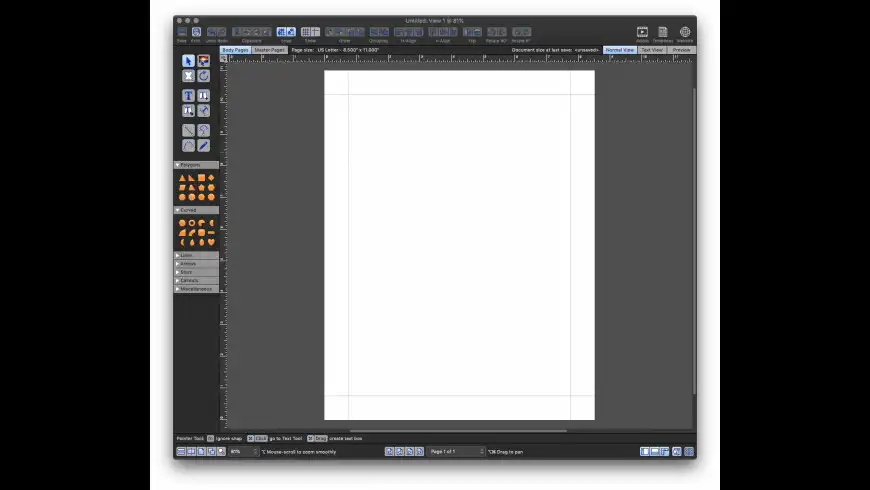
iStudio Publisher is an easy-to-use desktop publishing and design application which lets users draw shapes, run text inside and around the shapes and place images within them at the same time. The software includes a shape library of commonly used items. Other features include dynamic text wrapping, linking between shapes, zoom to 5000 percent, and live formatting during drag.
What's New
Version 1.1.8:
  • The font selection drop-down list now shows a preview of each font face, if there are less than 2000 fonts installed.
  • The first time the font drop-down list is selected, a message is displayed while the font face previews are being generated.
  • Changes to the menu options and keyboard shortcuts for workspace layout configurations and view zoom settings.
  • BUG FIX: Memory leak when caching images.
  • BUG FIX: Caching PDF images resulted in huge memory allocations.
  • BUG FIX: The Help index file was missing.
  • Help additions.
Version 1.1.8:
  • The font selection drop-down list now shows a preview of each font face, if there are less than 2000 fonts installed.
  • The first time the font drop-down list is selected, a message is displayed while the font face previews are being generated.
  • Changes to the menu options and keyboard shortcuts for workspace layout configurations and view zoom settings. more...
Requirements
PPC / Intel, Mac OS X 10.4 or later


  • Scribus
    +1
    Free
    Page layout with professional ...

  • Swift Publishe...
    +1
    Shareware $44.95
    Print shop layout creation tool ...

  • Scrivener
    +1
    Shareware $45
    Project management, word ...

  • Adobe InDesign...
    +1
    Updater
    Resolves InDesign out of memory ...

  • Bean
    +1
    Free
    A fast and uncluttered word ...
iStudio Publisher User Discussion (Write a Review)
ver. 1.x:
(11)
Your rating: Now say why...
Overall:
(11)

sort: smiles | time
burypromote

+2
Peternew commented on 07 Feb 2012
Both the download and the Developer's site seem to have disappeared - links from here return - '...can't connect to server...' and this has been the case for several days now.
[Version 1.1.8]


burypromote
+3

+66

Cenocre reviewed on 20 Sep 2011
Having used Quark and hated the company for over 20 years, I have been looking for YEARS for a good replacement for the few simple projects that I now do each year.

I tried Swift Publisher (lousy interface), MultiAd Creator Desktop (quite good, but the idiotic company discontinued it), and Scribus (sucks, but should be great).

iStudio Publisher is FINALLY it. It has a few quirky ways of doing things, but it is clean, intelligent, and stable. And, the price is great.
[Version 1.1.8]


burypromote
+2

+2

RoosterMan reviewed on 23 Aug 2011
Incredibly easy to use!
[Version 1.1.7]


burypromote
+4

+4

Bruce Hanson reviewed on 15 Aug 2011
I can't speak to any of the other reviewers, but for me, iStudio Publisher is a godsend. When I switched from PC to Mac a year ago, my only regret was that I couldn't take Microsoft Publisher with me. I have discovered that not only can I do the things that made M. Pub. special to me, but many others. Of note, and something I consider essential, watch the video tutorials. They are excellent, numerous, and contain info you absolutely need to get the most out of the software.
[Version 1.1.7]


burypromote
+4

+4

badbassman reviewed on 15 Aug 2011
I love it! Easy to use, no clutter. Tutorials on the website are spot on.

A few missing features, but looks like they are on the way.

Works on Lion too, unlike loads of my other apps... :(
[Version 1.1.7]


burypromote
+3

+6

veropcnet reviewed on 24 Jul 2011
I have never used a desktop publishing program before but I found this program to be very easy to use and understand. I have created several documents and saved them as PDF files, then opened them in Preview and did a "Save As" to save them in different image file formats. It would be nice to save the documents to images in iStudio Publisher, but it's no big show stopper. I am coming from Appleworks and needed to find a simple drawing/layout app. for 10.7 Lion. This is easy to learn and has a bunch of how to videos on the publishers web site, I think it's great.
[Version 1.1.6]


burypromote

-1

Fluxo reviewed on 01 May 2011
This is a very promising software that has had little attention from its developers. I've been following it for a few years now, and while I've been very excited about its roadmap, the speed in which the new features are being incorporated are far too slow to even justify a roadmap. If you decide to buy it do it for the features it has right now, not for what the developers say it will have.
[Version 1.1.5]


burypromote
+3

+7

Billybob152 reviewed on 27 Feb 2010
Now that I have figured out how to use this application I've grown to like it very much. It is designed to fill the void between Pages and InDesign. iStudio does have somefeatures the biggies do not have.

Granted, right now it is missing some features but looking at the developer's roadmap on his/her website many new features will be added in upcoming updates.

I bought on a special promotion and am very glad I did.
[Version 1.1.2]


burypromote
+1

+1

Lightfootadv reviewed on 18 May 2009
I'm pretty impressed overall with this program as a new page layout option. It reminds me of Pixelmator in early versions.

It is a functional program already. I could imagine someone being able to easily use it in day to day operations. There are some obvious oddities and overlooked features though, as with most newish software.

Character styles would be a very welcome addition, as well as being able to combine shapes, and custom page sizes. It also feels strange not being able to drag shapes out of the palette directly onto the page. Unless I'm missing it, you can also only save in IStudio format or PDF files. It would also be nice if there was one place to select the object and stroke colors together (instead of in separate places).

I look forward to the future development of the program.
[Version 1.0.4]


burypromote
+2

+104
rubaiyat commented on 23 Feb 2009
I am always keen to see a new challenger in the DTP stakes, particularly one using Cocoa and I give full marks to the developer for having given this a go.

However I can not see it as being anything other than a beta. It is usable as it is and will take considerably more work.

From common things such as drag and drop doesn't work, to oddities in graphics where images are oddly cropped within objects. Selecting from the type list is slow and odd. The drawing tools don't behave like any I've ever used before and I have used a lot.

Cosmetics issues hit you in the eye, such as the tool icons being clumsily large, shapes that don't distort intelligently, and are just so-so built in clipart. Why implement stars as separate objects according to how many points they have? Why are we required to nominate an image type before importing? Why are there no preferences? Why use a slider in the Inspector palette just because it is laid out poorly and nothing fits?

I AM impressed by so much functionality included at this point of its development, just not how it has been included, nor to claiming it is final release. I repeat this is a beta in all but name.

I would be much more enthusiastic if it was a fully Cocoa app with all its standard UI, icons and simplified conventions. Beat Pages at its own game, which is not hard as there is a lot missing and not right still in Pages.

I am sitting back and seeing if this becomes another Pixelmator, which has had a great deal more aesthetic thought put into it. As it stands it is a diamond in the rough.
[Version 1.0.4]


There are currently no troubleshooting comments. If you are experiencing a problem with this app, please post a comment.


NotSoFast rated on 15 Jul 2011

[Version 1.1.6]


+47

Snake-One rated on 27 Apr 2011

[Version 1.1.4]


Downloads:4,724
Version Downloads:790
Type:Multimedia & Design : Illustration
License:Demo
Date:19 Sep 2011
Platform:PPC / Intel
Price: $48.50
Overall (Version 1.x):
Features:
Ease of Use:
Value:
Stability:
Displaying 1-10 of 11
< 1 2 >
Displaying 1-2 of 2
-
-
-
Please login or create a new
MacUpdate Member account
to use this feature
Watch Lists are available to
MacUpdate Desktop Members
Upgrade Now
Download and auto-install
using MacUpdate Desktop. Save
time moving folders and cleaning-up.
iStudio Publisher is an easy-to-use desktop publishing and design application which lets users draw shapes, run text inside and around the shapes and place images within them at the same time. The software includes a shape library of commonly used items. Other features include dynamic text wrapping, linking between shapes, zoom to 5000 percent, and live formatting during drag.
Add/Update Listing About MacUpdate Desktop Career Opportunities RSS Twitter Facebook Advertise Sitemap
Copyright © 2012 MacUpdate LLC


- -
