


Picasa Web Albums Uploader
Upload photos inside iPhoto to Picasa.
Free
This app is no longer supported by it's developer. You can find similar apps here.
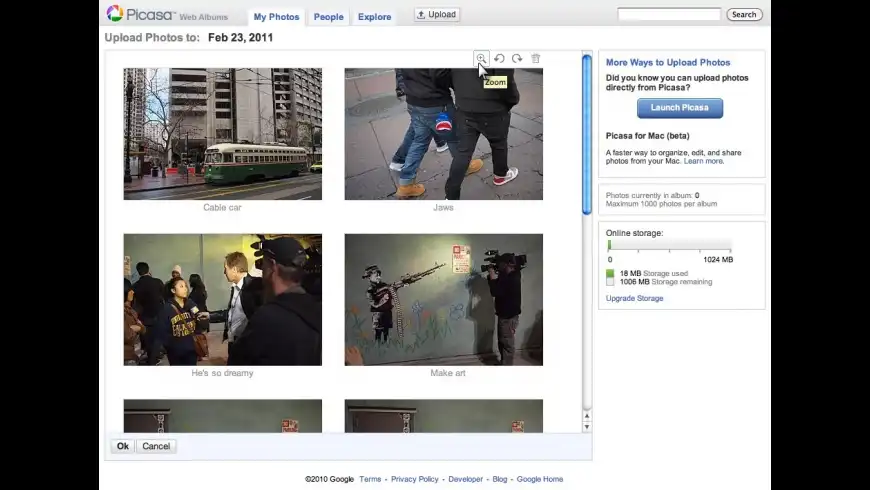
Picasa Web Albums Uploader overview
Picasa Web Albums Uploaders include a stand-alone application and an iPhoto exporter for uploading photos to a Picasa Web Albums account.
What’s new in version 1.5.0.1425
Updated on Jan 17 2014
Version 1.5.0.1425: Release notes were unavailable when this listing was updated.
Information
App requirements
- Intel 32
- PPC 32
- Mac OS X 10.5.8 or later
- Picasa Web Albums account
Try our new feature and write a detailed review about Picasa Web Albums Uploader. All reviews will be posted soon.
(0 Reviews of )
There are no reviews yet
Comments
User Ratings

Apr 20 2014
Version: 1.5.0.1425
Unfortunately, this software doesn't work with the latest version of iPhoto since it became a 64-bit app, probably starting with version 9.5. Using iPhoto 9.5.1 on Mac OS X 10.9.2, the Picasa option no longer appears in the "Export" dialog, and a corresponding "no matching architecture in universal wrapper" is written to the console. I confirmed via command line that the iPhoto 9.5.1 app is a 64-bit executable, and the plugin (version 1.5.0.1325) has only i386 and ppc architectures.
It's really a shame that Google doesn't support this anymore. :(
Jan 17 2014
Version: 1.5.0.1425
I really liked this tool, what a shame they discontinued it... For MacUpdate Staff, please refer to http://googleblog.blogspot.de/2012/04/spring-cleaning-in-spring.html where we read "Starting today, the Picasa Web Albums Uploader for Mac and Picasa Web Albums Plugin for iPhoto will no longer be available for download. People can continue to use the uploader and plugin if they are installed. However, we’ll no longer maintain these tools. We strongly encourage people to download Picasa for Mac, which includes upload and iPhoto import features."
Jan 17 2014
Version: 1.5.0.1425
Ugh, the 1.5.x update installs Keystone, Google's spyware/auto-update mechanism.
Oct 30 2013
Version: 1.3.0.536
I have 1.5.0.1425 which I believe is the latest. The application has not been updated for a loooooong time and is not supported anymore. Sad.
May 11 2012
Version: 1.3.0.536
I had problems installing this plugin on Mac OS X 10.6.8 with iPhoto v.6.0.6.
The plugin folder was installed into /Library/Application Support/iPhoto/
Apparently, that doesn't work for my configuration. Instead I moved the plugin-folder into the iPhoto application package in the Application folder. This is how to do it:
1. Locate the iPhoto icon in your application folder.
2. Right click (or control-click) the icon to access the contextual menu for the iPhoto icon
3. Choose "Show Package Contents" from the contextual popup menu
4. You will now se a single "Contents" folder inside the iPhoto package. Open "Contents" and you will find the "Plugins" folder. Leave the window there.
5. Go back and locate the installed plugin folder called "PicasaWebAlbums.iPhotoExporter" which was just installed into your /Library/Application Support/iPhoto/Plugins/ folder.
6. Move the folder with the long name to the "Plugins" folder that you left open in step 4.
7. Close the windows and open iPhoto and go to Export. You will now see a Picasa tab.
At least, this worked for me.
Good luck.
May 20 2011
Version: 1.3.0.536
Actual version downloaded by link above is 1.4.0.1284 from december 2010.
Requirements on picasa.google.com/mac_tools.html are:
Mac OS 10.4+
Supports iPhoto 4,5,6 and iPhoto '08 (version 7)
Works very well sice a long time now, isn't needed, but I like it.
Dec 11 2008
Version: 1.3.0.536
Nice piece, works well. There is, however, one reason I will never install any Google software again. When installing any Google software, it installs a startup item (in /Library/Startup Items) that checks for updates in the background, without asking me if I want this etc. If all pieces of software did this, my computer would be doing nothing else than checking for updates all the time. It also does this in Windows btw. Google is a member of the StopBadware organisation that advises people on stuff like this. Google should advise against it's own software. It's badware. So no matter how this software is, it sux.
Oct 15 2008
Version: 1.2.1.484
This version looked more promising as a video upload seemed to go to completion. However during the completing upload process the following error message appeared:-
[Line 1, Column 585, element gphoto:timestamp] Text content must be non-negative: -2082844800000 (status 400)
Whatever this means, the result is that I still can't upload videos to my Picas web albums.
Oct 12 2008
Version: 1.2.0.476
I am unable to upload .mp4 videos using the standalone Picas Web Albums Uploader. After around 1MB has uploaded the error message "An error prevented uploading from completing. Error NSURLErrorDomain -1" appears.
Using the iPhoto plug-in the Upload option is dimmed if I select an .mp4 video.
This is disappointing as I was hoping at last to be able to upload videos to my Picas Albums.
Nov 15 2007
Version: 1.1.0.71
The latest version of the iPhoto plugin works fine with iPhoto 08 and Leopard.
One thing that caught me out: when you run the installer, iPhoto has to be in the root of your Applications folder, not in a subfolder, otherwise the plugin won't install at all. (This is rather stupid, but not any stupider than Apple's Software Update is.)

Aug 30 2007
Version: 1.0.0.1
Following up to blueser's comment, iPhoto 7.0.2 now displays this console warning when launched:
2007-08-30 11:02:38.314 iPhoto[6969] Not a valid plugin: /Applications/iPhoto.app/Contents/PlugIns/PicasaWebAlbums.iPhotoExporter
And the plugin's tab is no longer available in the Export Photos window.
Aug 12 2007
Version: 1.0.0.1
Would be nice if this was updated to work with the new iPhoto 08
Mar 31 2007
Version: 1.0.0.1
I love it! Main functionality is already there.
There might be a few things that need some touch up. For example, I'd like not having to confirm my login & password when opening Picasa. but all in all, this is a great application!
Aug 4 2006
Version: 1.0.0.1
Works fine here.
I hope it's a sign that we'll have Picasa on Mac, as iPhoto is inferior in terms of photo management (too many duplicates, closed database format, etc etc). Picasa is like butter on even the slowest of PCs I've used it.
Also good to see Google working on Mac.
Aug 3 2006
Version: 1.0.0.1
it keeps telling me it can't sign in and it's not my fault. (how reassuring!) tripled checked the login name and password and they are correct. i'll try again later and hopefully i can get it to work.

Free
This app is no longer supported by it's developer. You can find similar apps here.

Similar apps
Be the first one to propose an app
similar to Picasa Web Albums Uploader.
similar to Picasa Web Albums Uploader.
New and Recently Updated