



Adobe Pepper Flash Player
Plug-in plays multimedia in your Web browser (PPAPI version).
Free
Absolutely Free
This app is no longer supported by it's developer. You can find similar apps here.
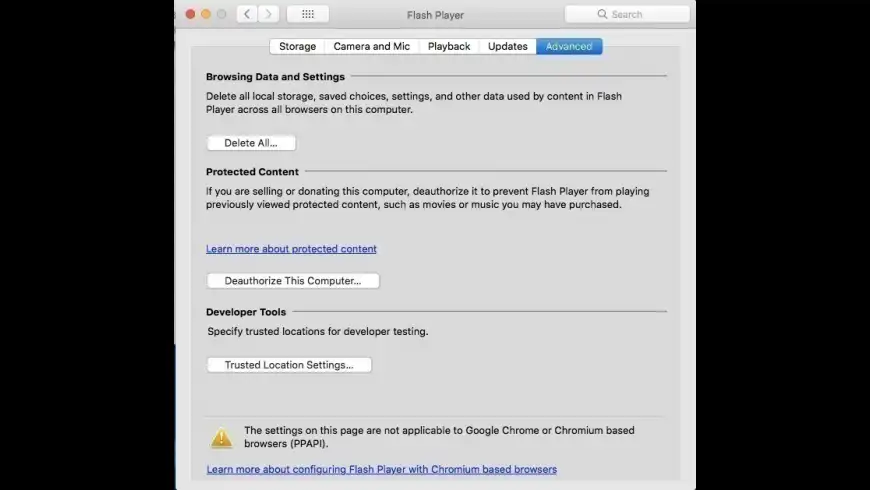
Adobe Pepper Flash Player overview
Note: Since Adobe will no longer be supporting Flash Player after December 31, 2020 and Adobe will block Flash content from running in Flash Player beginning January 12, 2021, Adobe strongly recommends all users immediately uninstall Flash Player to help protect their systems.
Adobe Pepper Flash Player is a cross-platform, browser-based application runtime that provides uncompromised viewing of expressive applications, content, and videos across browsers and operating systems. Pepper Flash plugin is built for Chromium-based browsers, i.e. Chrome, Opera, Chromium etc.
What’s new in version 32.0.0.465
Updated on Dec 10 2020
Version 32.0.0.465:
- Security fixes
Information
License
Free
Size
15.7 MB
Developer’s website
https://www.adobe.com/products/flashplayer.htmlDownloads
2297348
App requirements
- Intel 64
- OS X 10.10 or later
- Latest versions of Google Chrome or Opera recommended
Try our new feature and write a detailed review about Adobe Pepper Flash Player. All reviews will be posted soon.
(0 Reviews of )
There are no reviews yet
Comments
User Ratings

Feb 22 2021
Version: 32.0.0.465
Good night, bye bye, and good riddance Flash Player. We won't miss you and your crappy programming, second only to Adobe Acrobat.
Dec 11 2020
Version: 32.0.0.465
(1) For quite some time you have labeled it as Pepper player, but it's really the regular Adobe Flash Player. Pepper is maintained by Google, not Adobe, exclusively for Chromium-based browsers (Chrome, Chromium, Opera) and is not separately available; apparently they automatically update it.
(2) Adobe Flash Player's end of life is 12/31/20. I actually doubt that they are updating anything about it any more. I downloaded what you offered so I could make sure that it was misidentified as Pepper Player.
Dec 10 2020
Version: 32.0.0.465
.465 will be the self-destruct button inside Chrome I assume?

Sep 9 2020
Version: 32.0.0.433
NOTE that, contrary to rumors, Adobe Flash will stop working entirely and forever as of the stroke of midnight, December 31, 2020. It will literally stop dead. READ: https://www.adobe.com/products/flashplayer/end-of-life.html
Mar 1 2020
Version: 32.0.0.330
Why is this software still in the top 10 of "popular" apps? No one should have Flash installed on their mac in 2020. If you happen to have it installed, here are the uninstall instructions with uninstaller: https://helpx.adobe.com/flash-player/kb/uninstall-flash-player-mac-os.html
Feb 11 2020
Version: 32.0.0.330
correct for the Pepper Player link: https://fpdownload.adobe.com/get/flashplayer/pdc/32.0.0.330/install_flash_player_osx_ppapi.dmg
Flash Player: https://fpdownload.adobe.com/get/flashplayer/pdc/32.0.0.330/install_flash_player_osx.dmg
Jan 22 2020
Version: 32.0.0.321
The download is regular Adobe Flash, not the Pepper Flash Player. And it is the same version similarly misidentified a few days or a week ago, so it is not a fresh update.
Jan 21 2020
Version: 32.0.0.321
NOT the link for the Pepper Flash player - this is the NPAPI
https://fpdownload.adobe.com/get/flashplayer/pdc/32.0.0.321/install_flash_player_osx.dmg
Aug 20 2019
Version: 32.0.0.238
I got version 32.0.0.238 and it still is crap
Apr 10 2019
Version: 32.0.0.171
Flash v32.0.0.171 includes two security patches, one important and one critical. Be sure to update! (Only 8.5 months until the Burial Party! Shovels will be provided).
Read the gory details here:
https://helpx.adobe.com/security/products/flash-player/apsb19-19.html
Feb 15 2019
Version: 32.0.0.142
Why on God's Earth would anyone install anything to do with Adobe Flash? There are so many security issues arising from poor/sloppy coding that Adobe has put more energy into fixing its original garbage than it did into the original product. Yes, some legacy sites require Flash but the trade off is decreased security on your Mac. Install/use at your own risk! I deleted all vestiges of Flash a long time ago and am almost weaned off Adobe software from my multiple macs. Zero stars if I could for Adobe attention to detail.
Dec 5 2018
Version: 31.0.0.153
v32.0.0.101 is now available.
WARNING: CVE-2018-15982, an Adobe Flash exploit, is active In-The-Wild! Update to Flash v32.0.0.101 NOW!
Happiness is: Adobe Flash dead forever at the end of 2019. Party at my place!
Oct 10 2018
Version: 31.0.0.122
No standalone NPAPI posted yet at Adobe's site. You'll have to use the installer stub.
Sep 21 2018
Version: 31.0.0.108
Flash is an outdated, insecure POS that should be actively discouraged from use.
Sep 11 2018
Version: 31.0.0.108
Although Adobe advertises the system requirements for Flash 31.0.0.108 as "Mac OS X v10.10 or later," the installer completes normally when executed on a system running OS X 10.7.5 and Adobe's about page behaves normally and indicates that version 31.0.0.108 is installed.
Jul 10 2018
Version: 30.0.0.134
Once again the link appears to be for for the PPAPI version.

Jul 10 2018
Version: 30.0.0.134
I downloaded and installed flash player 30.0.0.134, but the resulting installed Version of flash player was 30.0.0.113.. Is anyone else seeing this?


Free
Absolutely Free
This app is no longer supported by it's developer. You can find similar apps here.

Similar apps
QuickTime Player
For Mac OS X 10.6.3 through 10.12.
Is this app is similar to QuickTime Player? Vote to improve the quality of this list.
Vote results
1
Upvotes
1
Total score
0
Downvotes
Adobe AIR
Deploy Web applications on your desktop.
Is this app is similar to Adobe AIR? Vote to improve the quality of this list.
Vote results
0
Upvotes
0
Total score
0
Downvotes
mpv
Open-source general-purpose video player.
Is this app is similar to mpv? Vote to improve the quality of this list.
Vote results
8
Upvotes
0
Total score
-8
Downvotes
Media Center Safari Extension
Allows you to download HTML5 media.
Is this app is similar to Media Center Safari Extension? Vote to improve the quality of this list.
Vote results
0
Upvotes
0
Total score
0
Downvotes
Audirvana
Core Audio-powered music player with high-quality sound.
Is this app is similar to Audirvana? Vote to improve the quality of this list.
Vote results
0
Upvotes
0
Total score
0
Downvotes
New and Recently Updated